ForgeLog
Get ForgeLog
A coach and seven clients fist-bump in a circle after a Hyrox training session — desaturated
01Inside the PT floor

Your trainers log the set. Everything else falls out of it.

The client's proof, your record of the floor, the cover when a coach is away — all of it comes out of that one act.

02On the floor

It has to survive a real session.
Or nothing else happens.

One hand, between sets, while a client is still breathing hard. The load and the reps are the easy part.

Slower than a notes app and your trainers keep the notes app — then every screen after this one is empty.

2.1
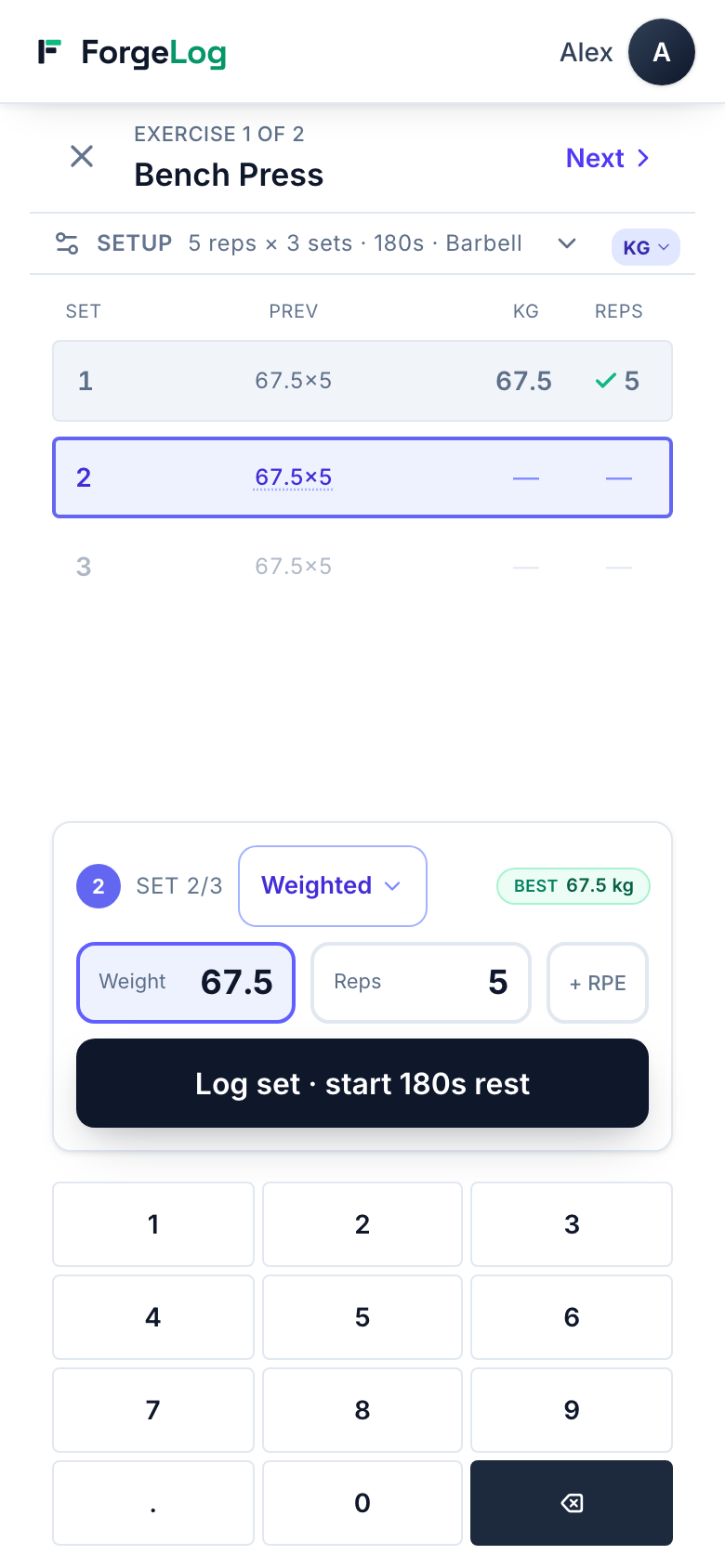
The ForgeLog set logger on a phone: the active set outlined, a numeric entry pad, the previous session's load beside it

The set being worked is the only bright thing. Logged goes grey with a tick.

2.2
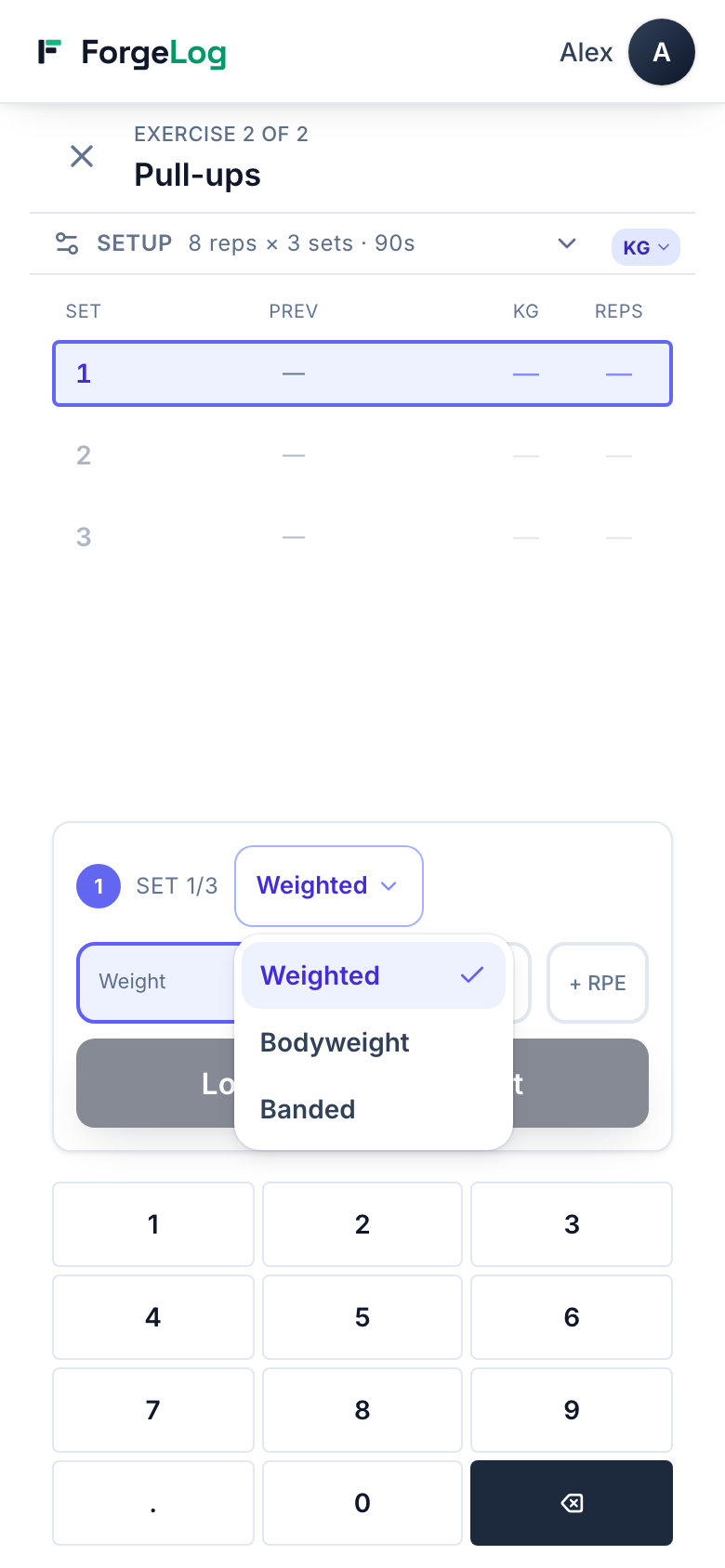
The ForgeLog logger with the load-mode control open: Weighted, Bodyweight, Banded

A band, bodyweight, added load — recorded as what it was, not rounded into a number that lies.

2.3
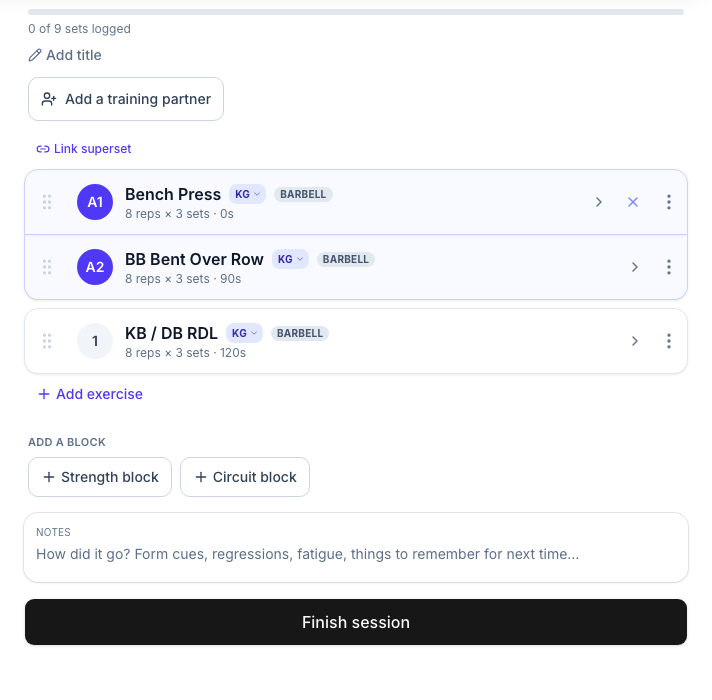
A structured strength session in the ForgeLog builder, two exercises linked as a superset with the rest timer set after the pair

A superset linked, so the rest timer fires after the pair.

SupersetsCircuitsRounds ×N Time capsBandsBodyweight Per sideTwo dumbbells Cable stackRPEPace targets Distance & caloriesRest timer on the clock, not a counter
1,003
movements in the library, before a trainer adds their own
11
ready-made sessions to start from, before a trainer saves their own
03Two clients, one slot

Semi-private, without halving the coaching.

Two clients in the same hour, each on their own program, on one screen.

Not one shared workout with two names on it — which is the only version a client paying half price keeps paying for.

3.1
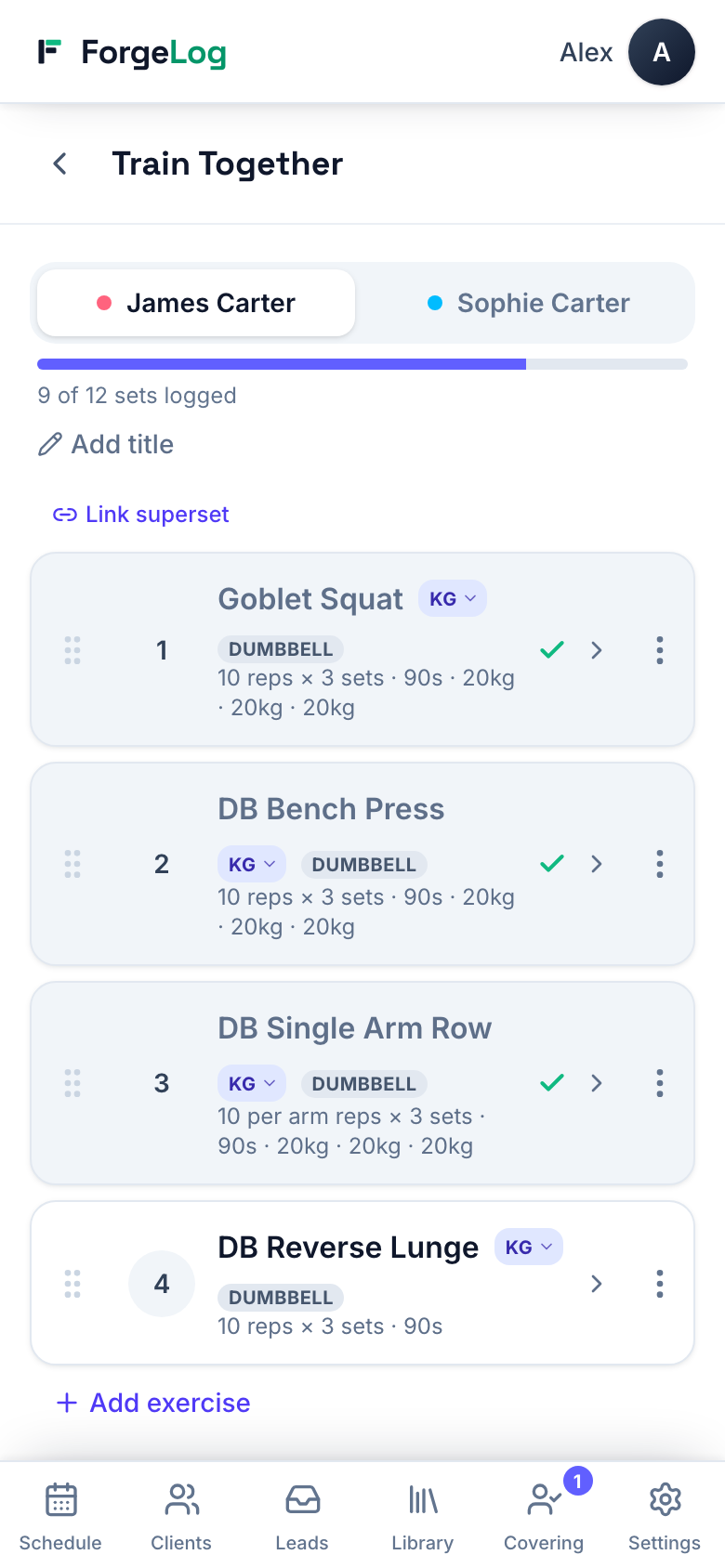
ForgeLog Train Together on a phone: two named clients as tabs, the active one open with their own exercises

One tap between them. Nobody leaves the session to switch.

3.2
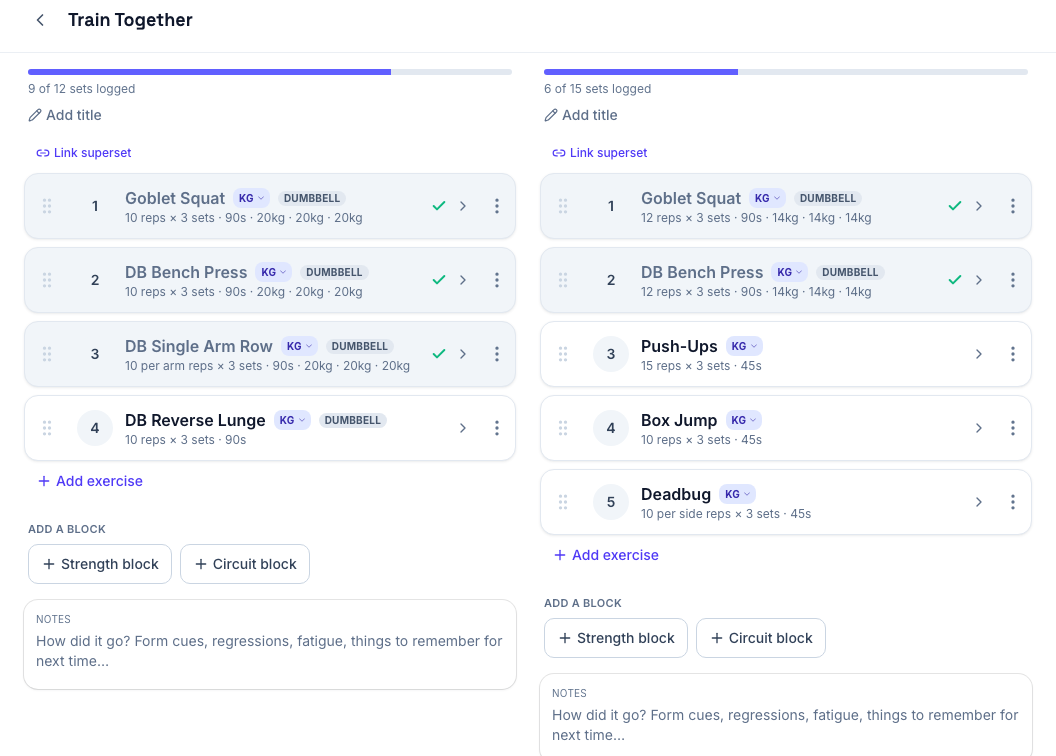
ForgeLog Train Together: two clients side by side, each with their own block and logged sets

Different work, different pace. Each finishes when they finish.

04The hybrid client

The race gets logged like a race.

Full race, half, stations only, or a four-athlete relay. Lap timer, every station split, the roxzone allowance in the total.

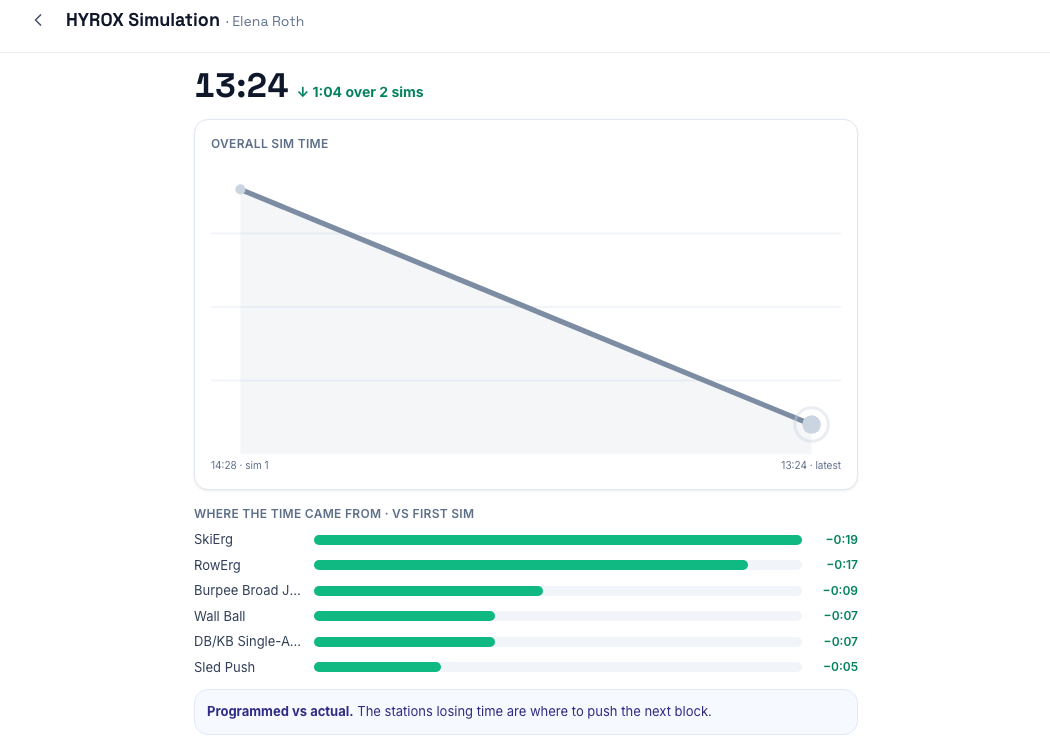
The next simulation shows the deltas against the first, station by station. That is the conversation that renews the block.

4.1
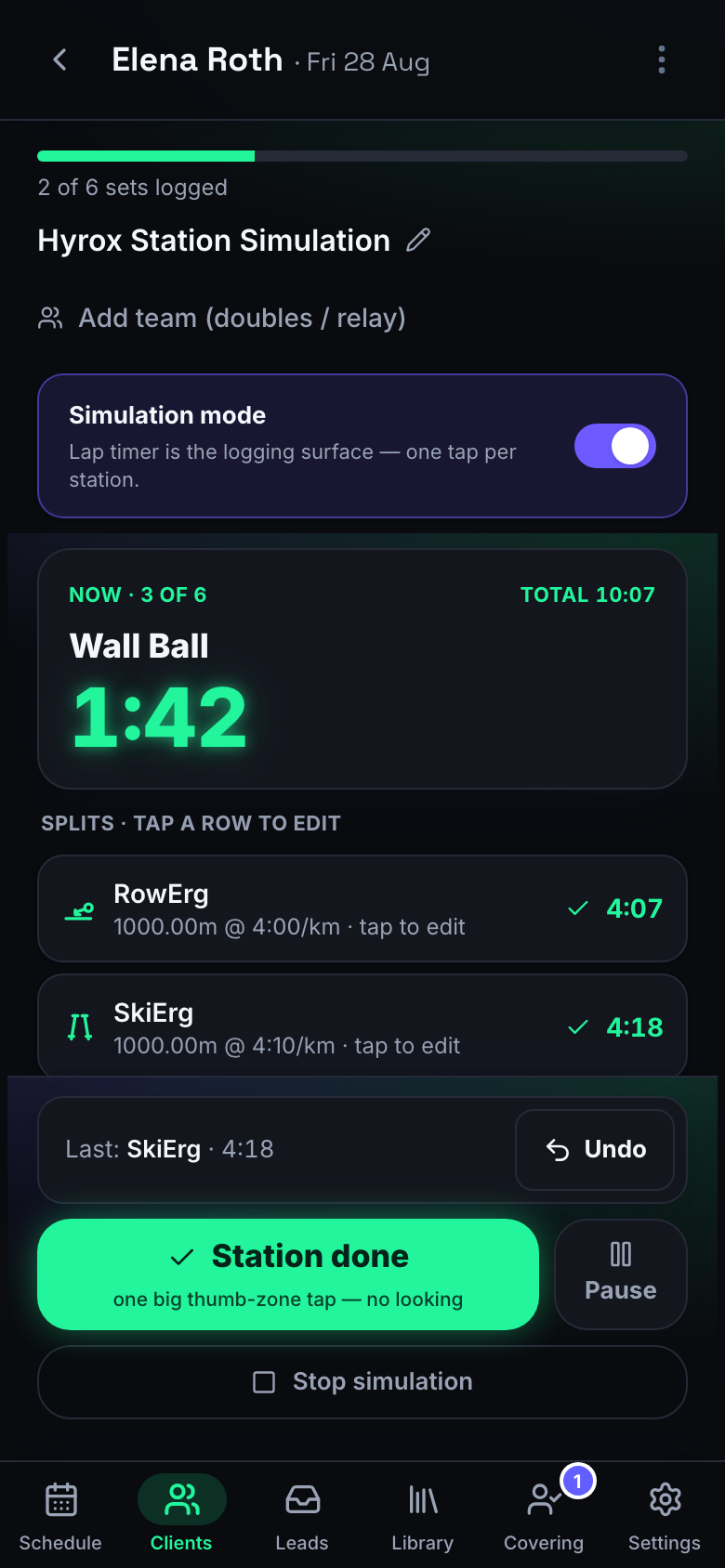
A ForgeLog race simulation running: near-black screen, neon-green lap timer, the current station and its split

Live. Readable across the room.

4.2
ForgeLog race-simulation progress: each station's time this race against the first, with the difference beside it

Station by station against their first race, with the seconds named.

Full raceHalfStations only Relay, four athletesLap timerRoxzone allowancePer-station splits
05What your client sees

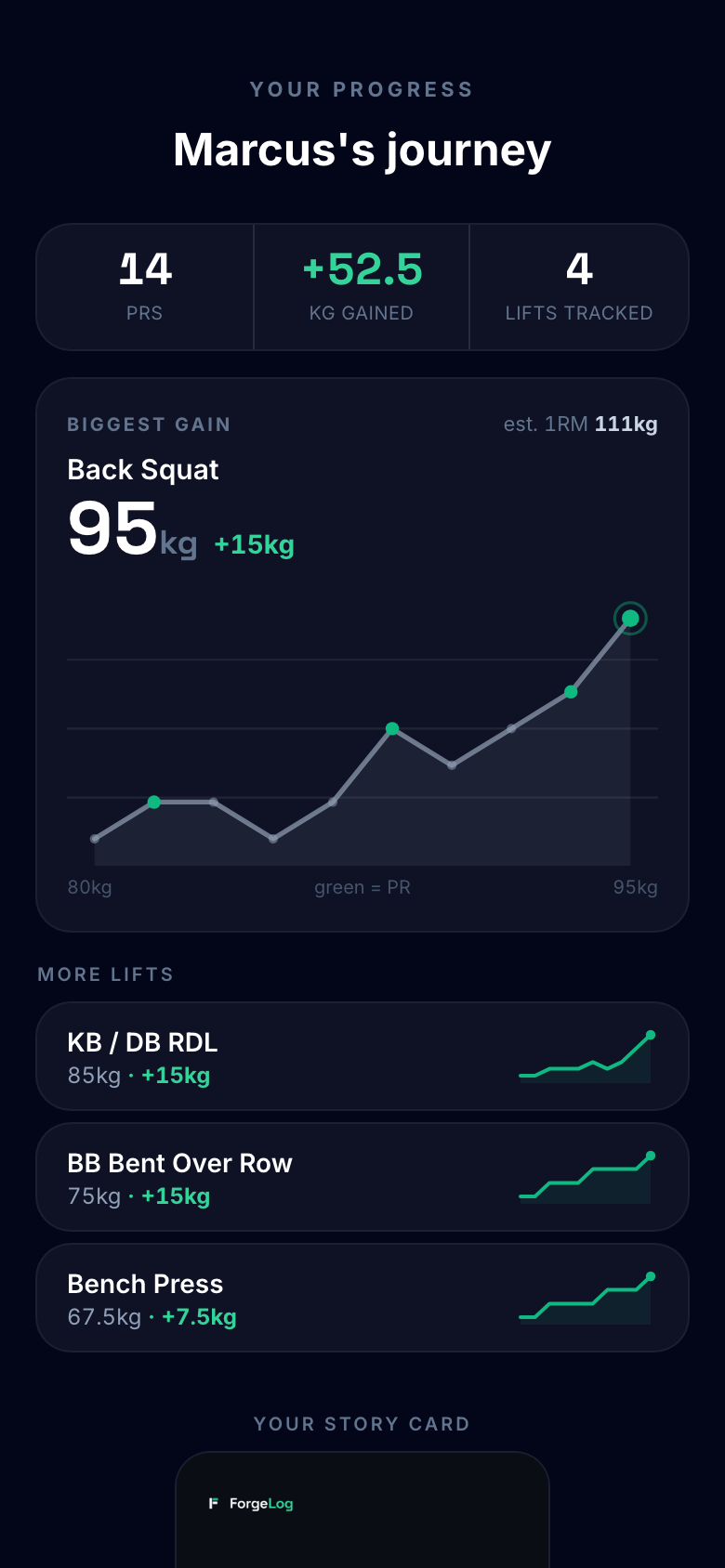
Your client sees the numbers move.

One link. No app, no account, no password to lose.

A client who can watch their own numbers climb does not need talking into the next block.

A best comes out as a card they will actually post, your coach credited on it.

5.1
The ForgeLog client page on a phone: their sessions, their lifts and their bests, opened from a link with no sign-in

No cookies, no sign-in. Exactly what the client gets.

5.2
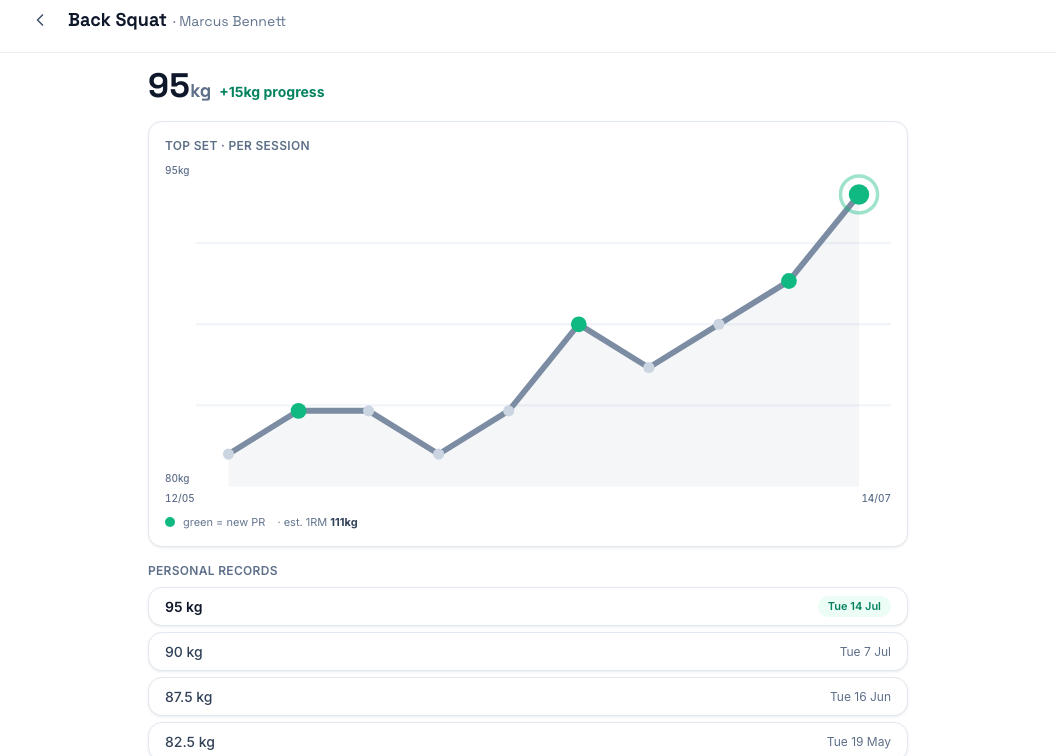
A single lift's trend in ForgeLog: the top set per session climbing over several months

One lift, session by session. Plateaus and all.

5.3
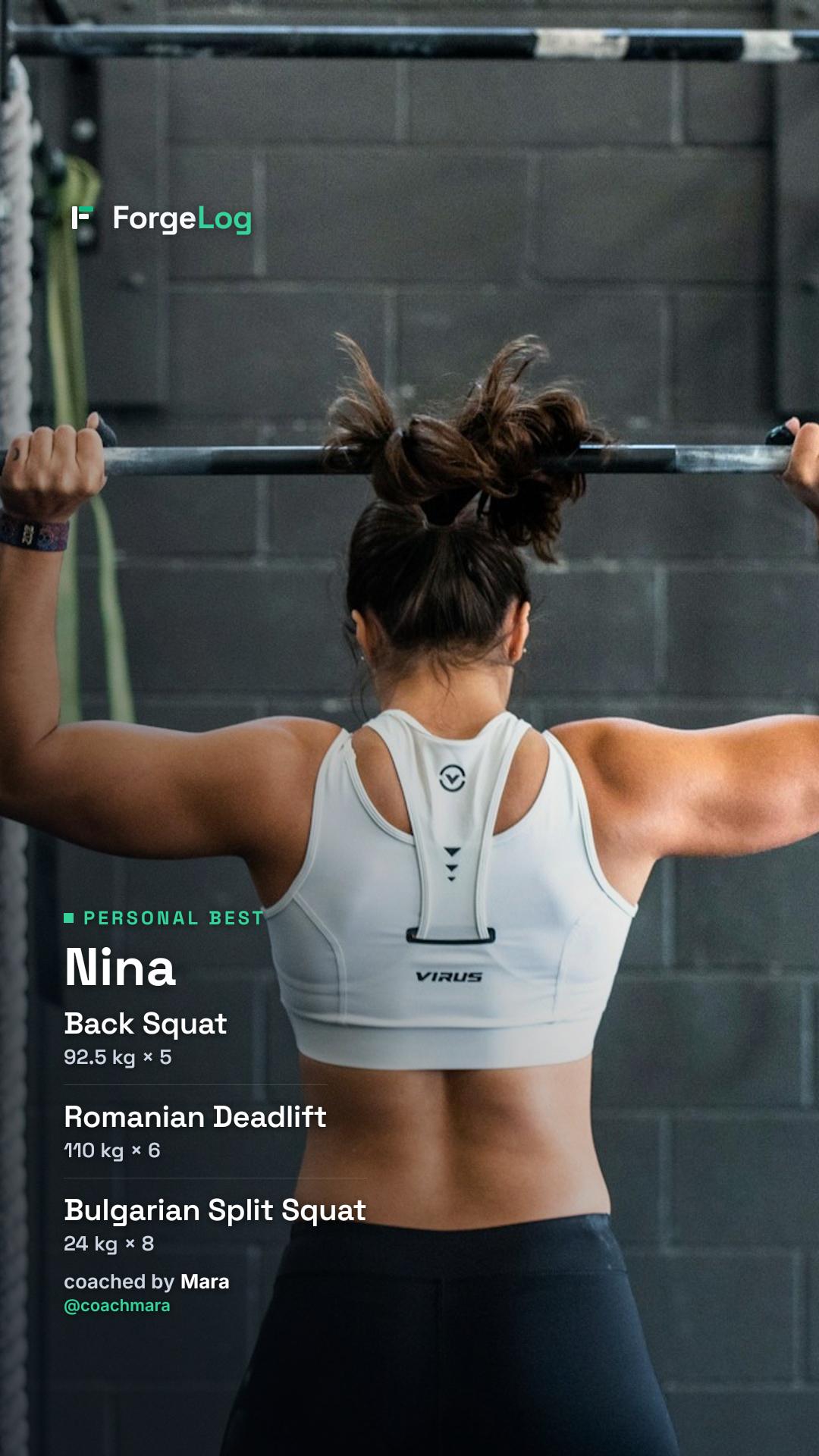
A ForgeLog card from a finished session: a personal best and the session's lifts over the client's own photo, the coach credited underneath

Their photo, their best, your coach credited. Nobody wrote a caption.

06What you see

Every trainer logs the same way.

Open any coach's client and read the work, without asking anyone to send you anything.

Cover a session and you get that session — never the client's file. It ends when the session does.

Mindbody syncs both ways, so nothing is keyed twice.

6.1
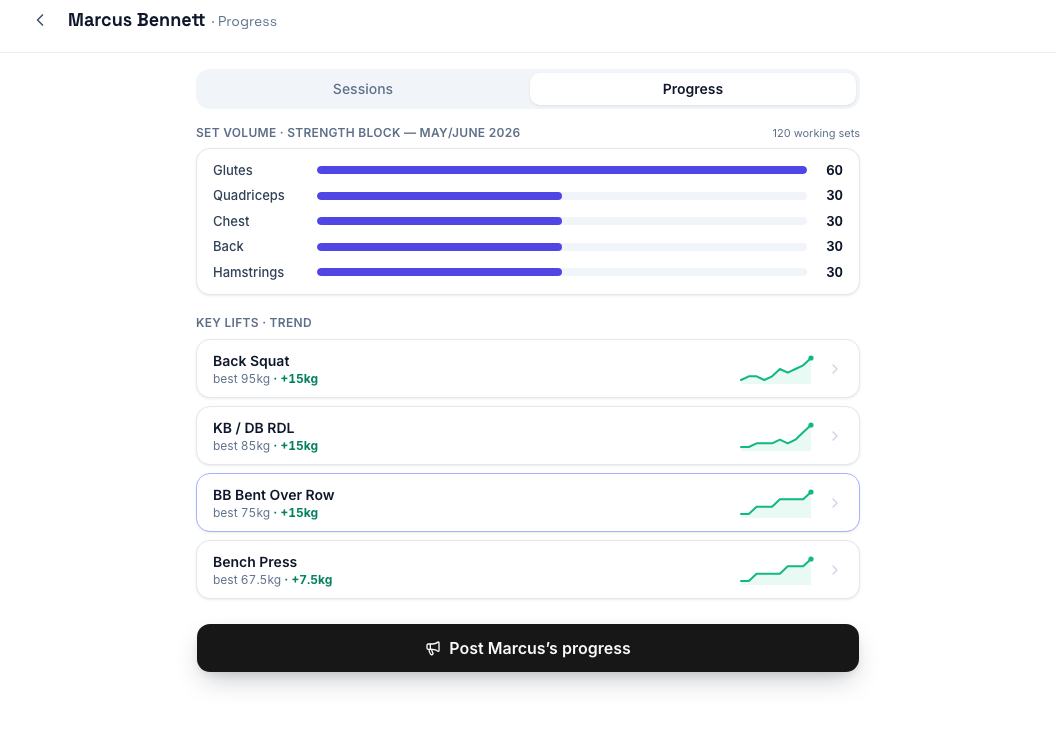
A ForgeLog client's progress tab: set volume by body part, and each tracked lift with its trend

The client's key lifts, and where each one is going.

6.2
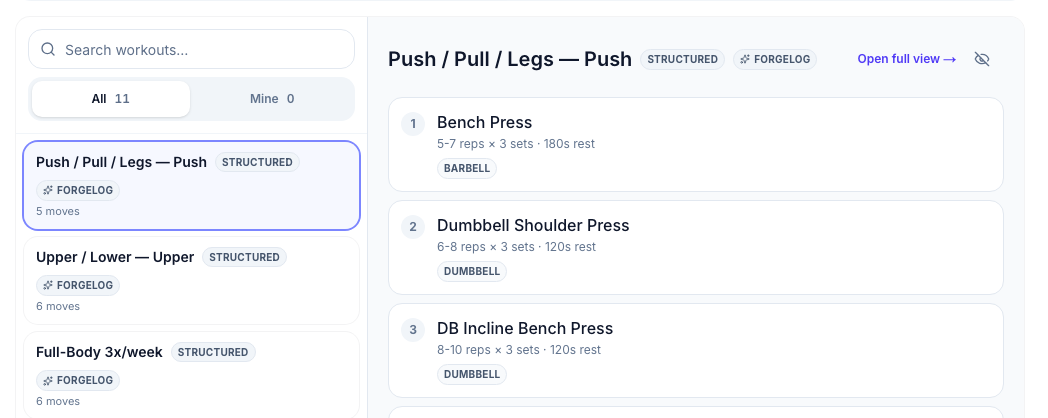
The ForgeLog workout library: ready-made sessions, one open with its five moves

Ready-made sessions to open and change.

6.3
The ForgeLog covering screen: the one session handed over, and the line saying the programme stays the other coach's

Holiday cover. Scoped to the session, expires with it.

6.4
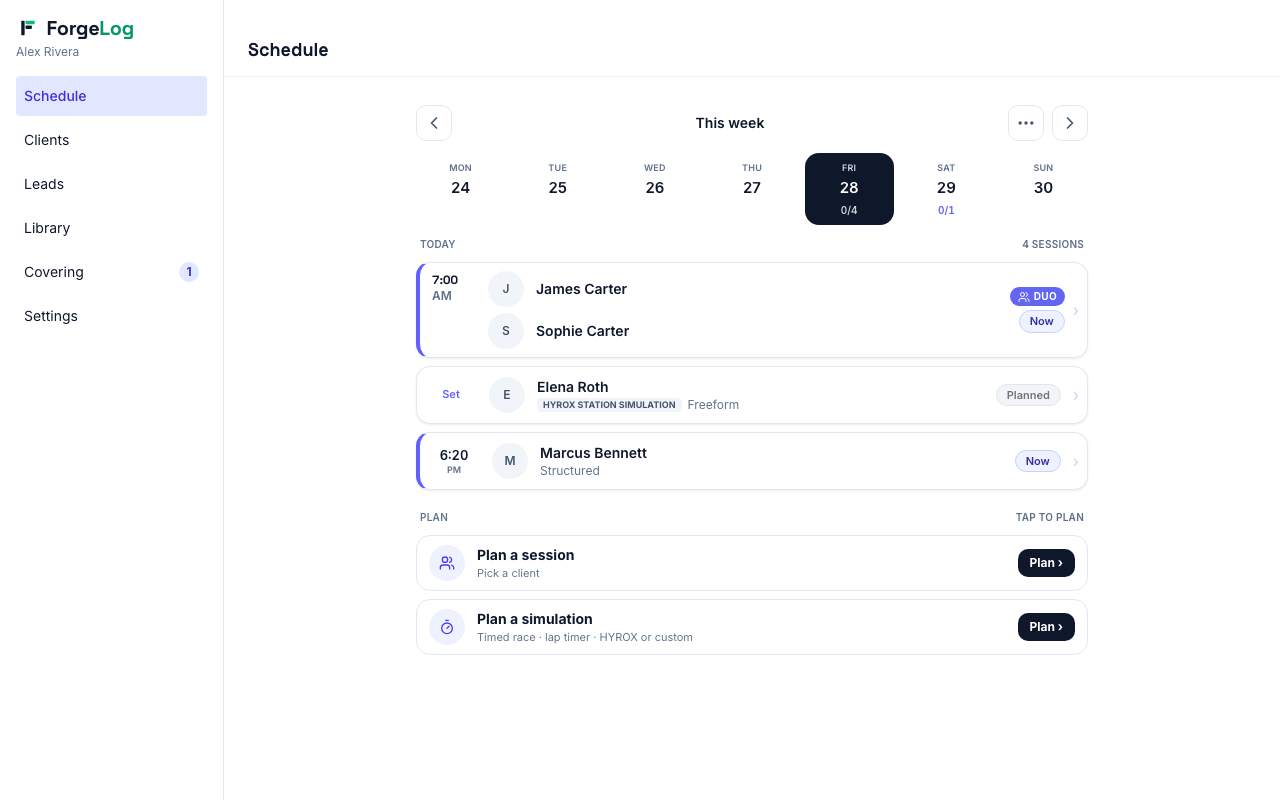
A ForgeLog coach's day: the sessions booked, with what is live marked

The coach's day. Nothing to press by accident.

6.5
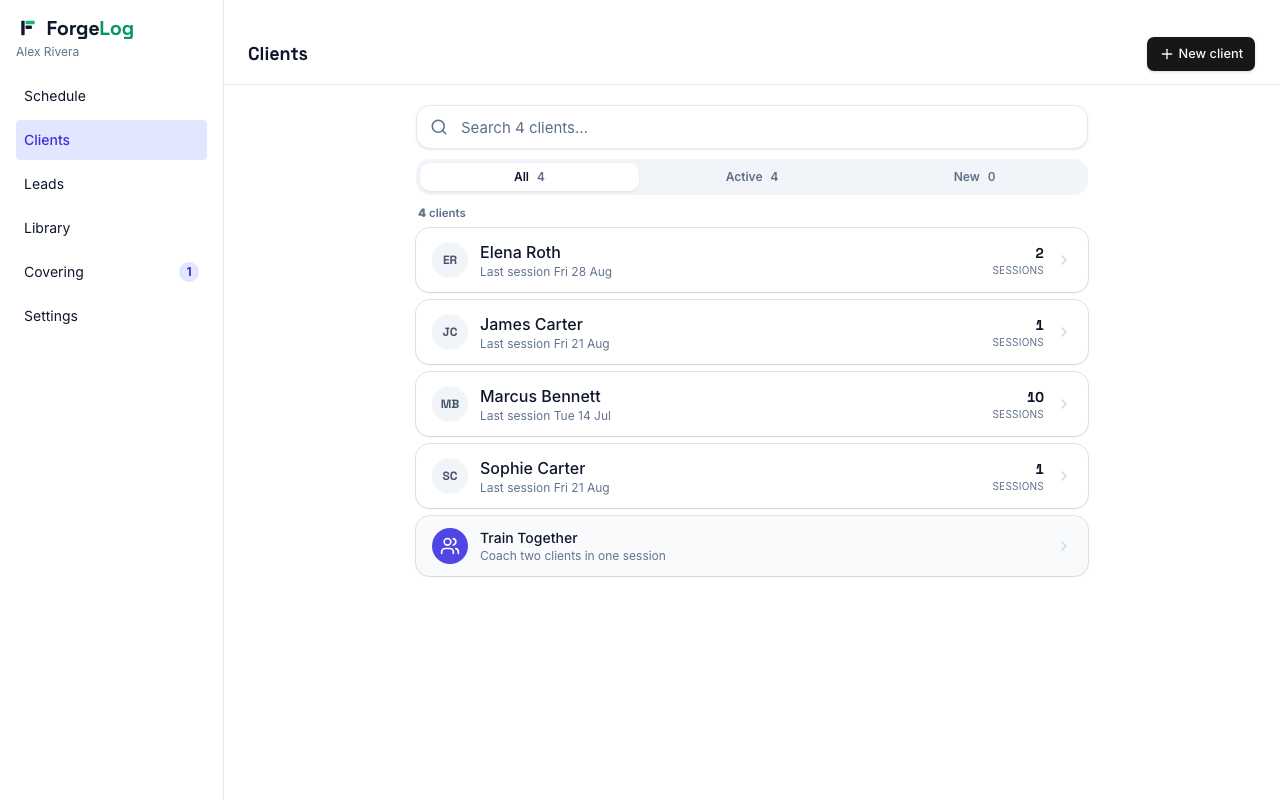
A ForgeLog coach's client list with each client's last session

The book. Who is training, who has gone quiet.

Every screen is numbered. Say 4.2 or 6.3 and we will know which one you mean.

An athlete locking out an overhead press at the end of a session
07What you get
ForgeLog

A PT floor you can actually see.

The trainer gets a logbook worth opening mid-set. You get the record. The client gets proof they are better than they were.

Put this on my PT floor No pricing here — it turns on how many coaches you run.
ForgeLog